This guide explains how to add your Instagram feed to Shopify legacy themes. Follow the steps below:
A. For legacy themes with a Custom Content (Liquid/HTML) block
B. For legacy themes without a Custom Content block
A. For legacy themes with a Custom Content (Liquid/HTML) block
- Go to Online Store > Themes > Customize.
- Click Add Section.
- Select Custom Content (Liquid/HTML) and add it to your homepage.

- Add the code below under Custom HTML/liquid:
Note: For secondary feeds, add the code below replacing FEED_ID with the ID of the feed that you can find in your Instafeed app dashboard:
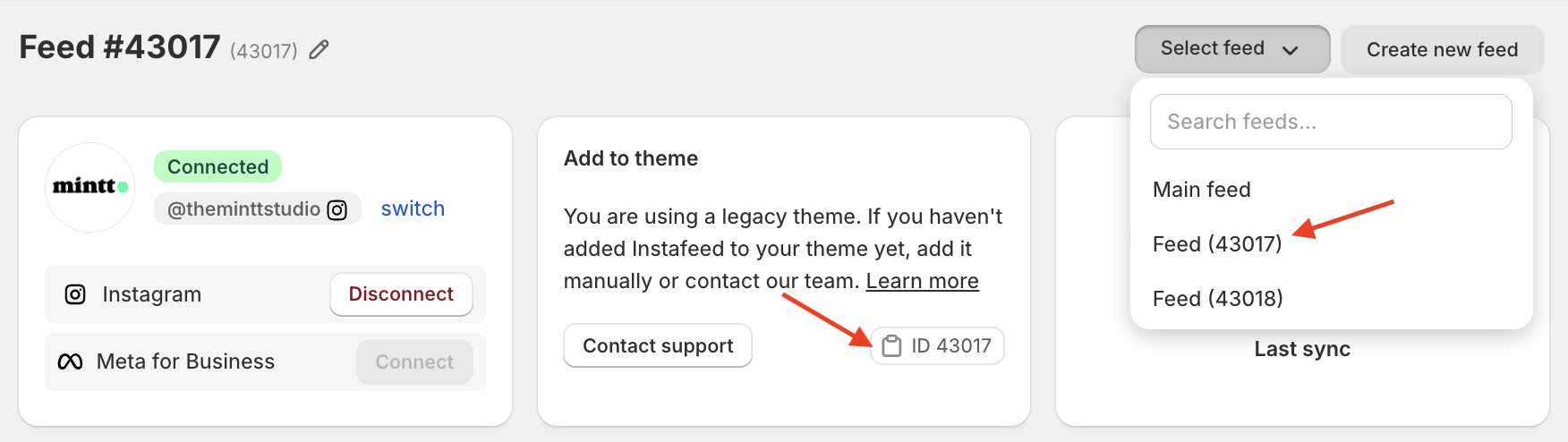
Feed ID on Instafeed app
The code to show this feed is:
B. For legacy themes without a Custom Content block
- Contact us at support@minttstudio.com - we'll gladly create the Instafeed block for your theme.
- Once it's ready, you can easily add it to your theme by navigating to Online store > Themes > Customize > Add section > Instafeed App.